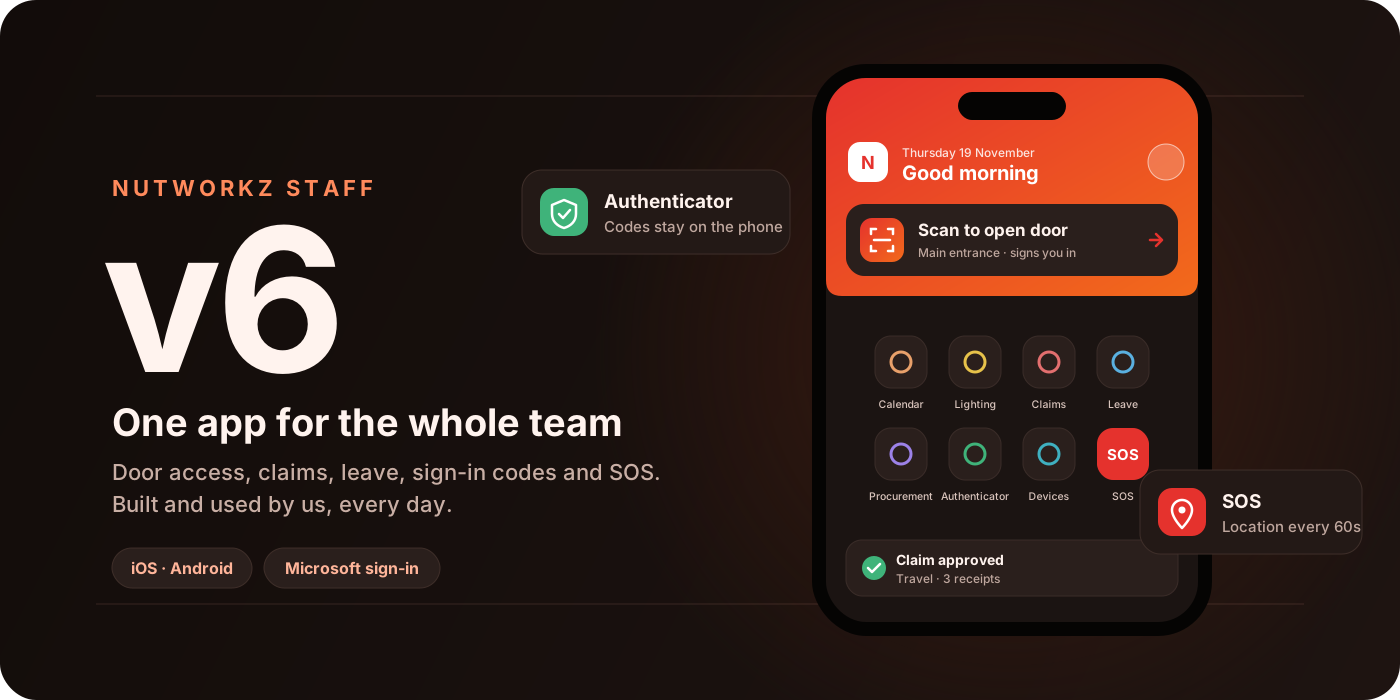
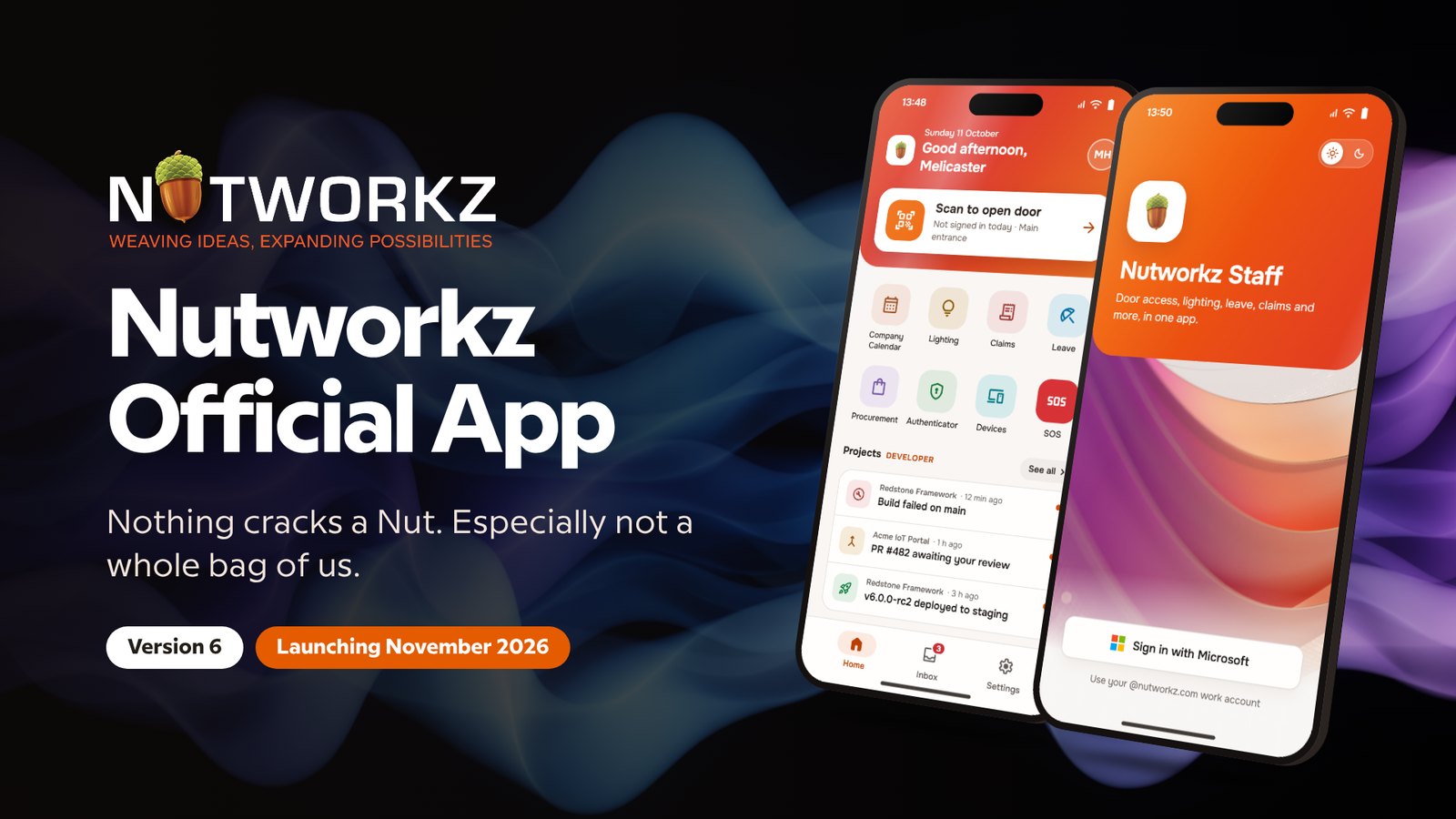
Every Nutworkz staff member starts the day the same way: they take out their phone and open the office door with Nutworkz Staff, the app we design, build and run ourselves.
This November we're rolling out version 6 to the whole team. We'd like to share what's in it, and also why we keep building it.
We use what we make
When we propose a network, a door access system or a staff app to a customer, they're trusting us with their building, their people and their data. We don't think we should ask for that trust on technology we haven't relied on ourselves.
So we use our own work first. The door our team walks through every morning, the sign-in that protects our accounts and the safety features our engineers carry onto customer sites are all built by us and used by us every day. If something is slow, confusing or unreliable, our own staff notice before any customer does, and we fix it.
That's why there's a version 6. It's the result of years of our own people using the app, reporting what got in their way, and us making it better.
From v1 to v6
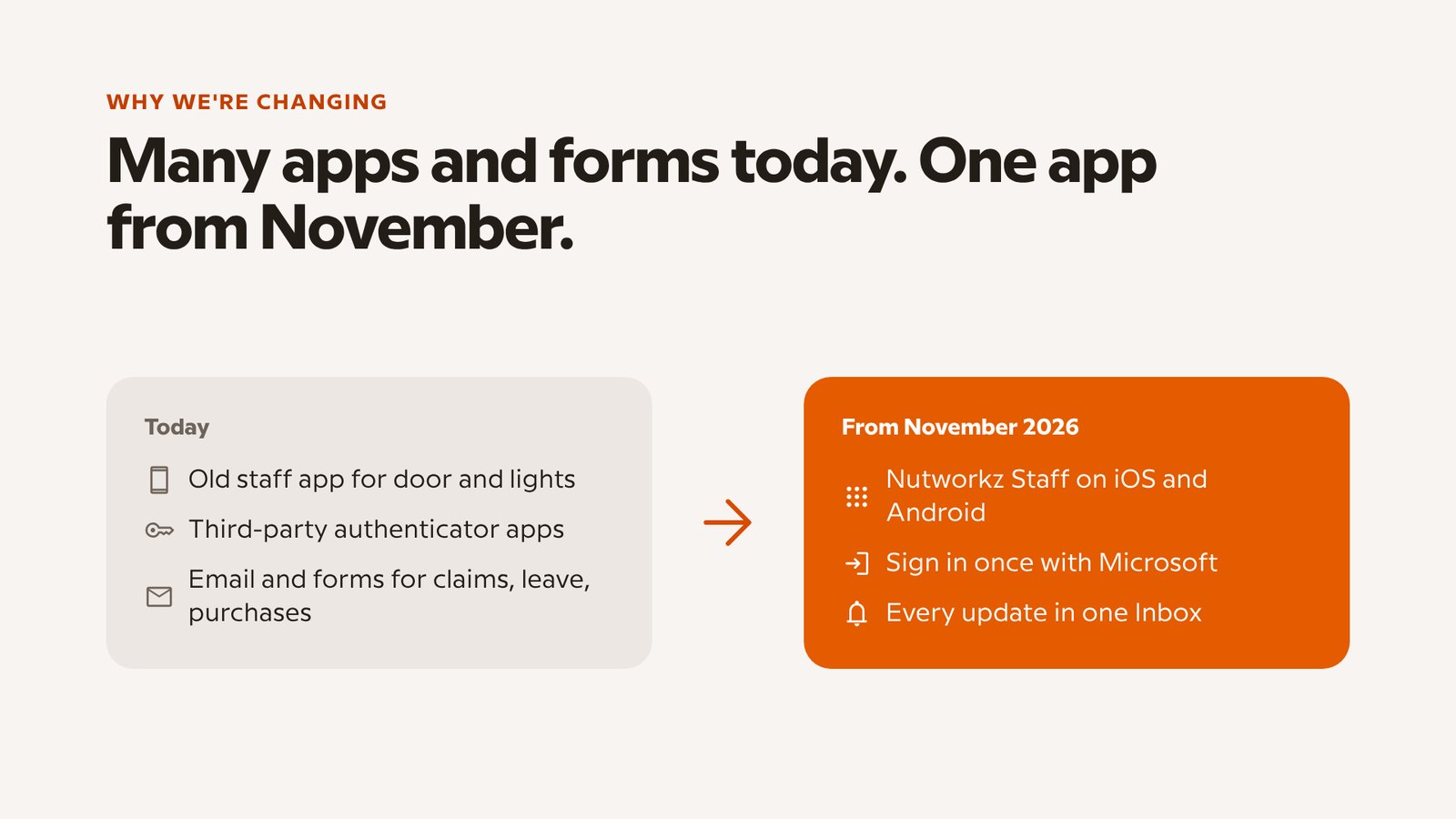
It started small: an app to open the office door and switch the lights. Over time our team kept asking for more. They wanted to submit claims without paper forms, check their leave balance, and stop juggling a separate authenticator app.
Version 6 brings all of that together into one app on iOS and Android, with a single Microsoft sign-in.
Everything one tap away
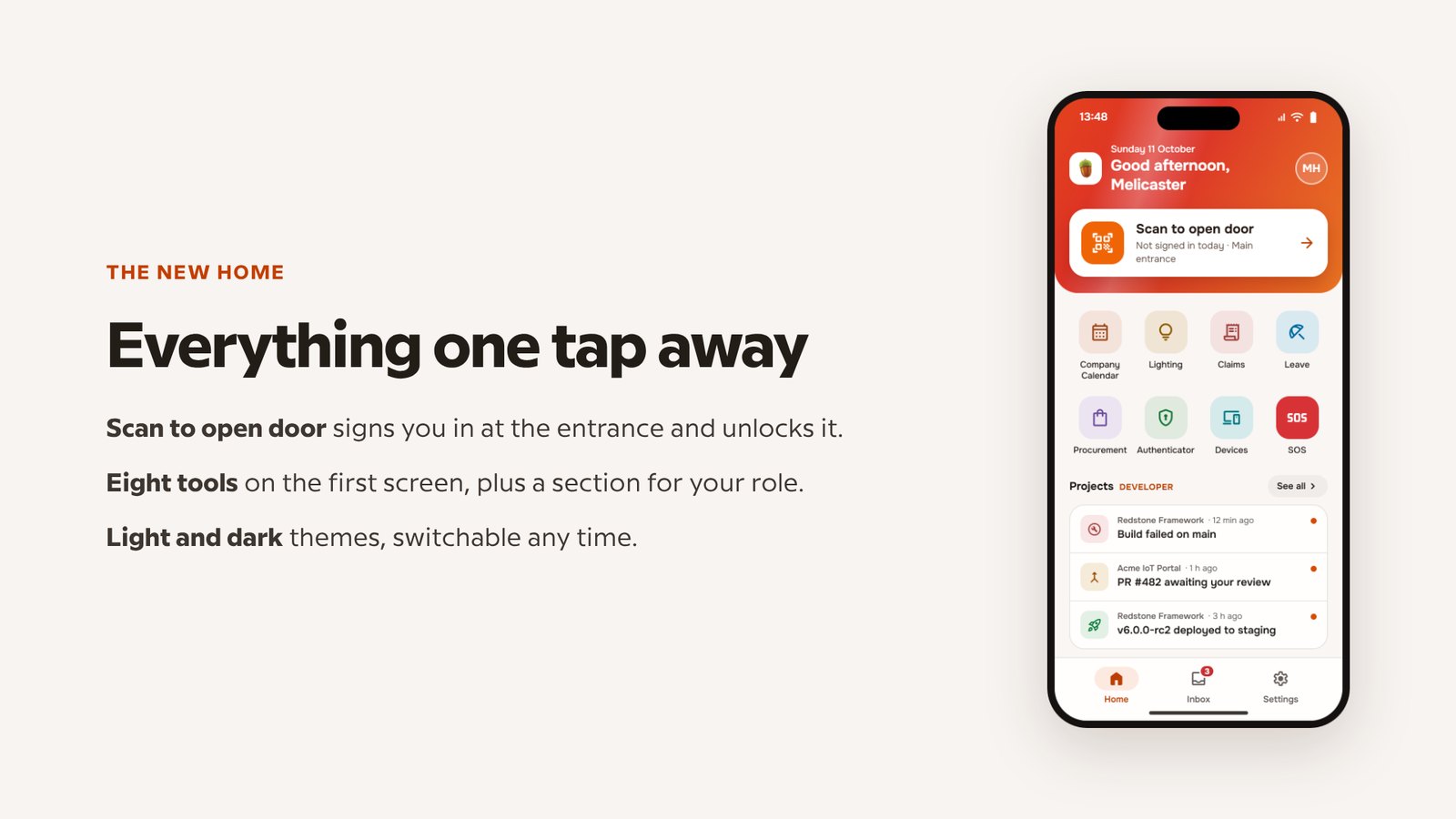
The Home screen keeps the most-used action, Scan to open door, at the top. Scanning signs you in at the entrance and unlocks it, and the check-in also becomes your attendance record. Every other tool is one tap below, and the app works in light and dark themes.
No more paper forms
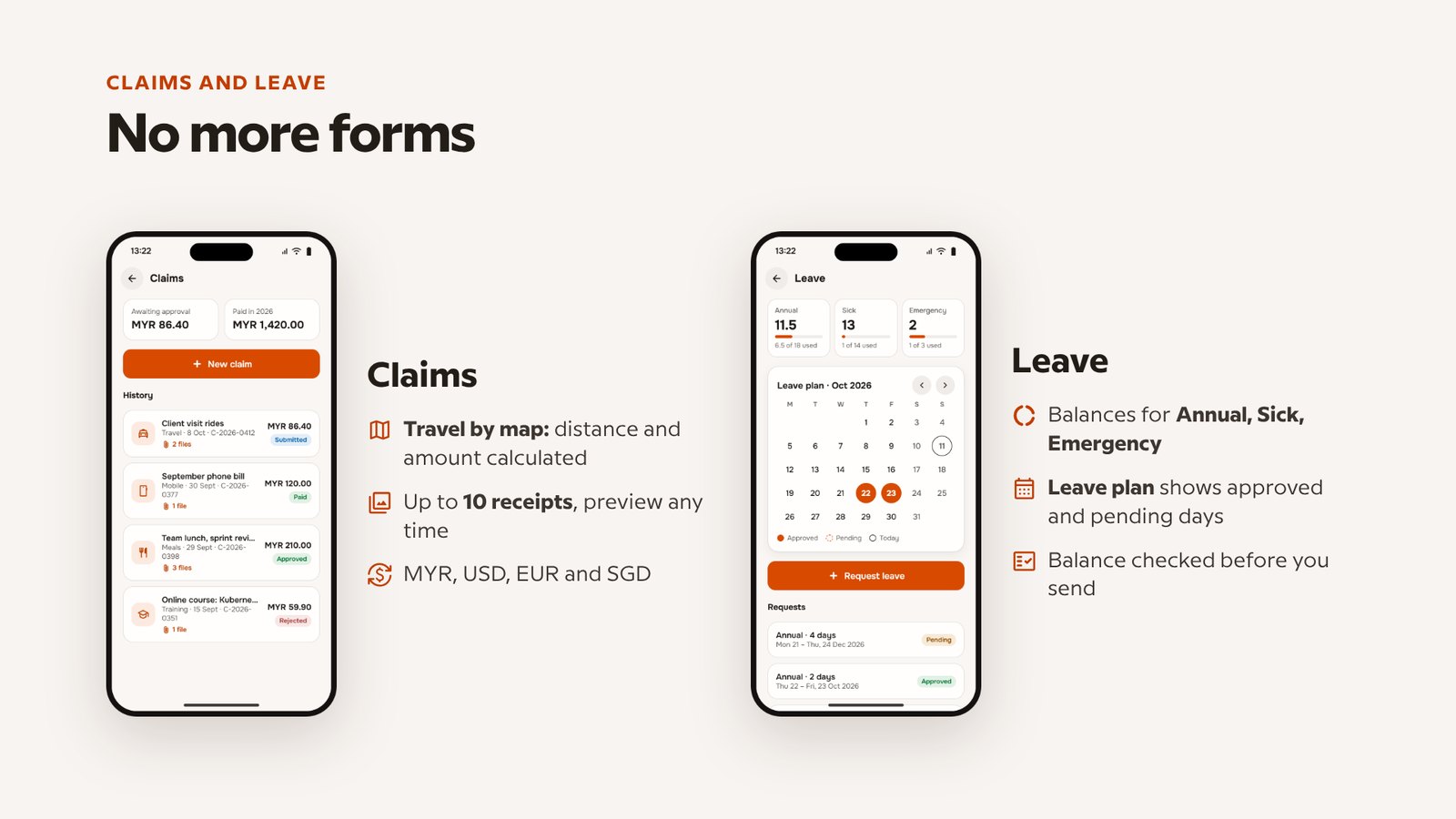
Claims and leave used to mean emails and forms. Now they take a few taps:
- Travel claims by map. Pick a start and destination; the distance and claimable amount are calculated for you.
- Up to 10 receipts per claim, in MYR, USD, EUR or SGD.
- Leave balances and a leave plan calendar, with the balance checked before a request is sent.
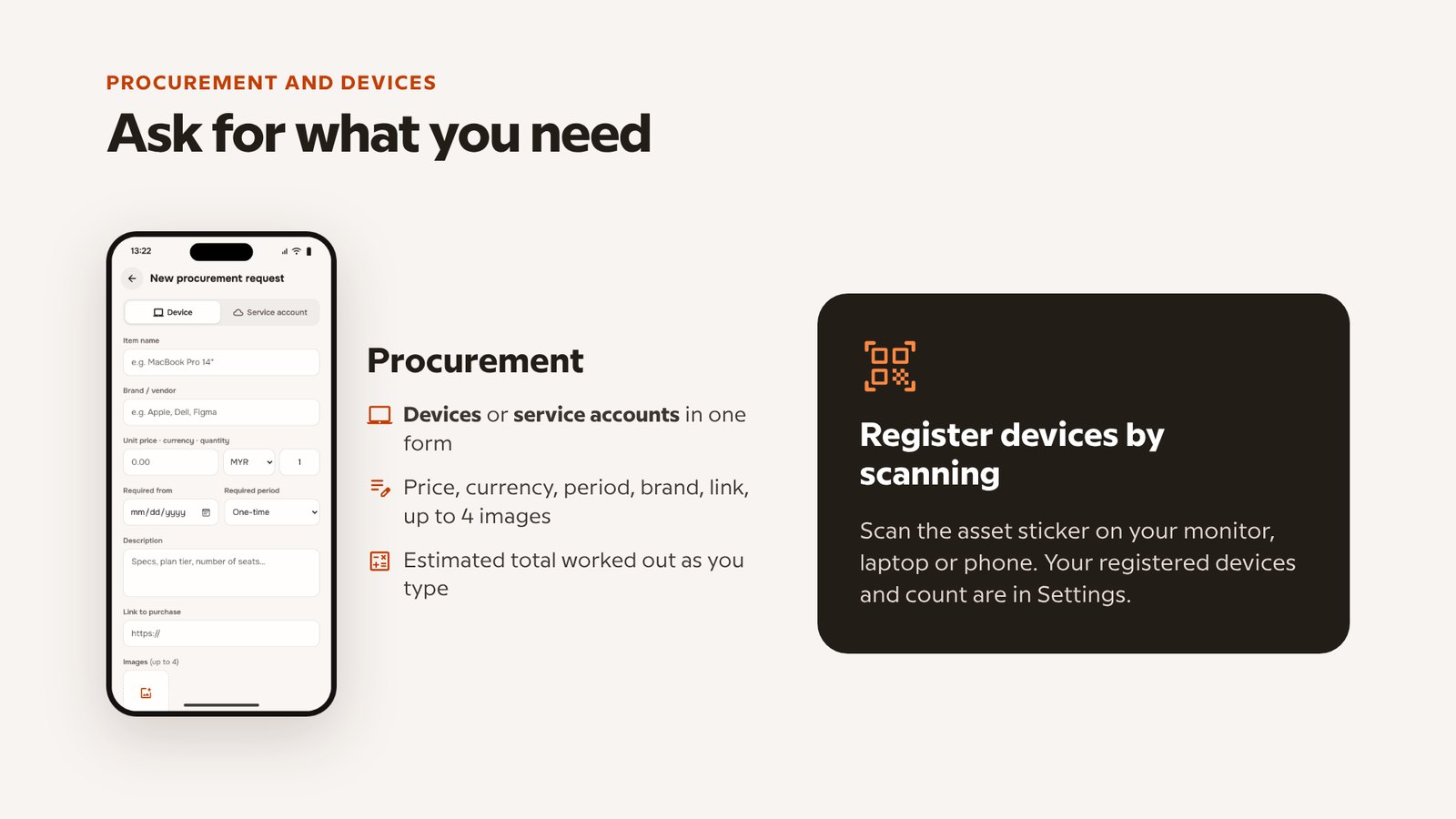
Staff can also request equipment or software accounts in one form, and register their laptop, monitor or phone by scanning its asset sticker.
Security we're responsible for
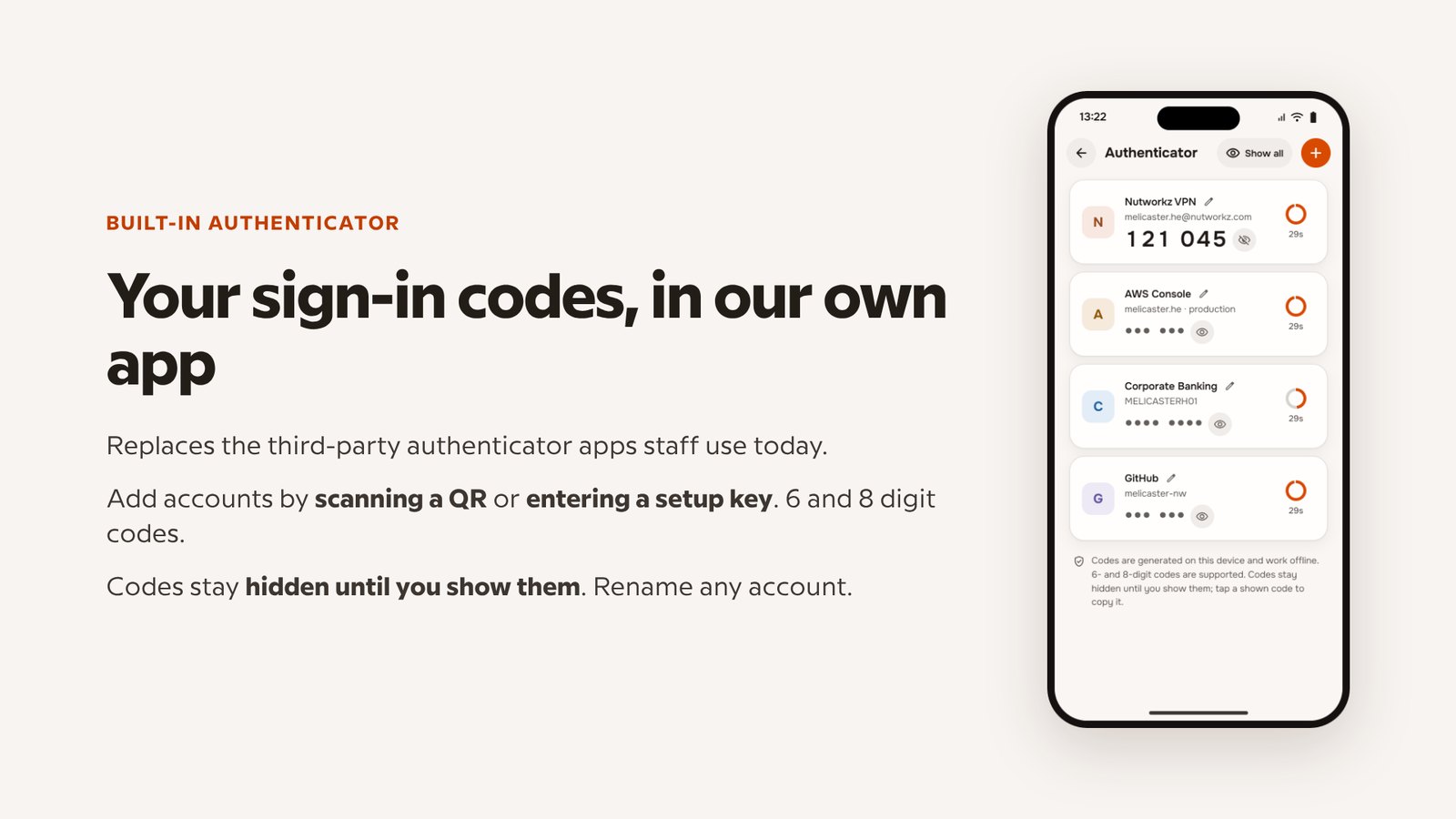
We've moved our sign-in codes into our own app. The built-in authenticator replaces the third-party apps our staff used before. Codes stay hidden until you choose to show them, and the secrets never leave the phone.
Behind the scenes, each phone is registered to the person using it, and every request it sends is signed by that device. These are the same standards we hold ourselves to when we design systems for customers.
Looking after our people on site
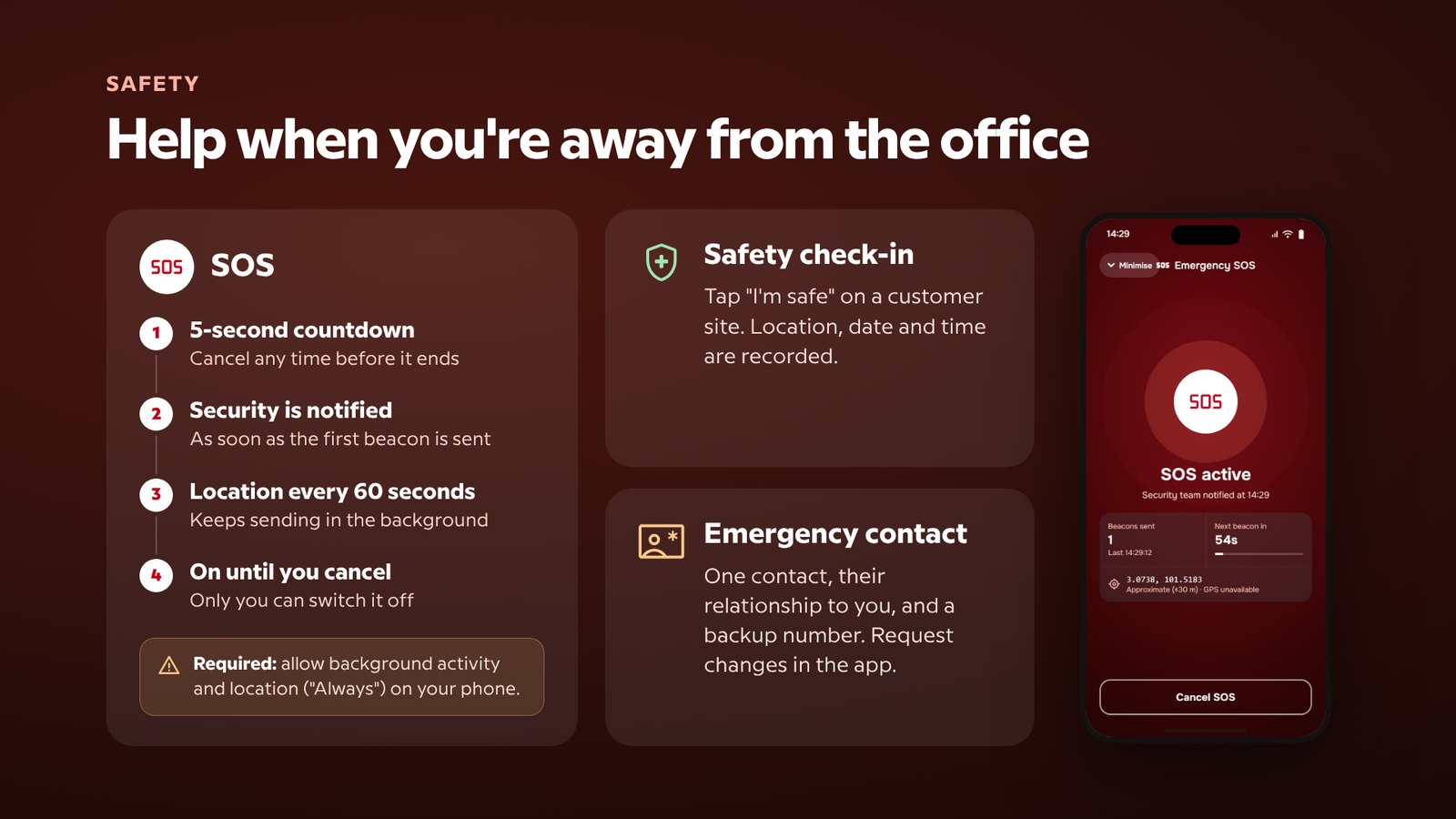
Our engineers spend a lot of time at customer sites: factories, hotels, government buildings. Version 6 adds safety features made for that work:
- SOS: a 5-second countdown you can cancel, then your location is sent every 60 seconds and our security team is alerted. It stays on until you switch it off, and it keeps working without signal: beacons are queued and sent as soon as the phone reconnects.
- Safety check-in: one tap on "I'm safe" records your location, date and time.
- Emergency contact: kept up to date in the app.
Made for each role
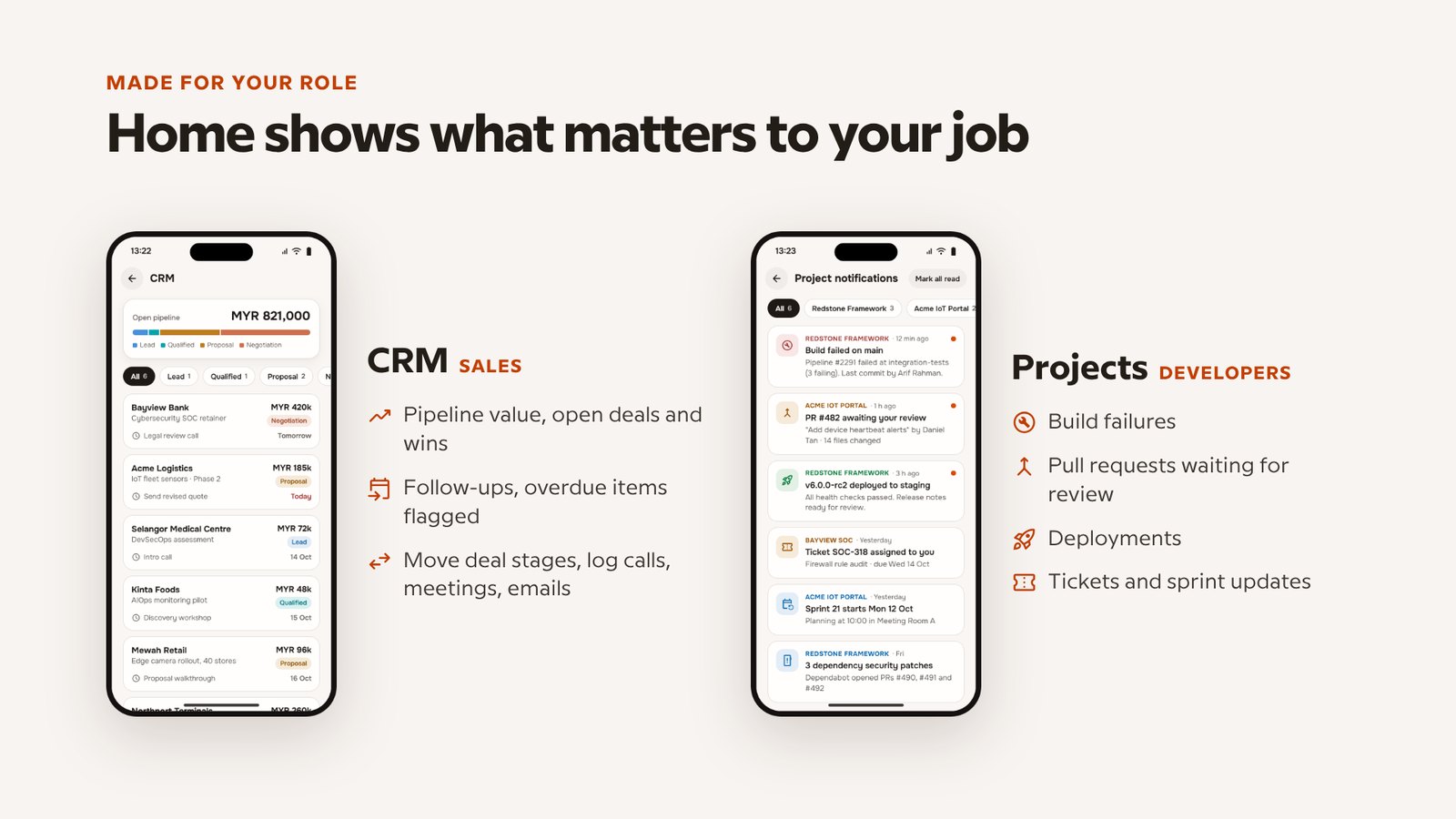
The app adapts to the person using it. Our sales team see their pipeline and follow-ups. Our developers see build failures, pull requests and deployments. Managers see approvals waiting for them.
What this means for you
Nutworkz Staff is built for our own team, but the experience behind it goes into every project we deliver: secure door access, mobile apps, monitored networks and surveillance systems. When we recommend something to you, it's because we've already relied on it ourselves.
Want something similar for your workplace? Talk to us.