
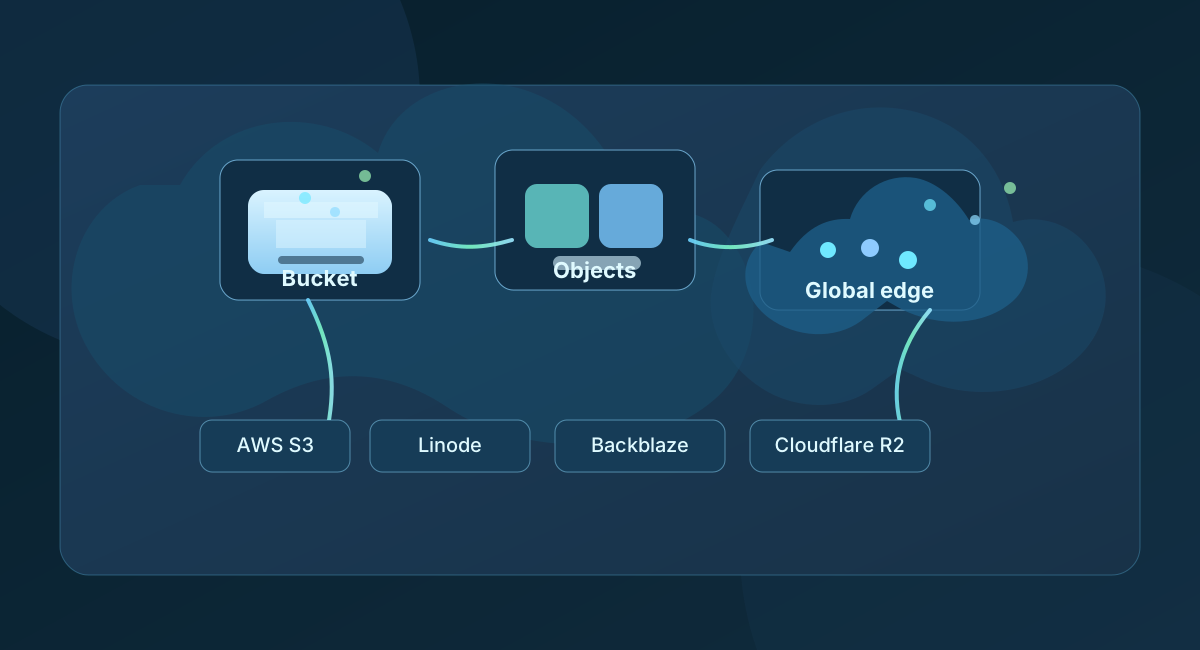
If you have ever uploaded a photo, downloaded a PDF, stored a backup, or served a large media file from the cloud, you have already used object storage.
Object storage is the default solution for keeping unstructured data in a durable, scalable, easy-to-access format. It is not a database, not a block disk, and not a traditional file share. Instead, it stores data as objects: a file plus metadata, plus a unique identifier, all sitting in a bucket. That design makes it perfect for backups, media libraries, logs, archives, static website assets, and any workload where you need to store a lot of data without managing a complex filesystem.
The idea is simple, but the business impact is huge: object storage lets teams store data cheaply, access it from anywhere, and scale without buying more servers every month.
What object storage actually is
Think of a bucket as a container, and each object as a single item inside it. An object can be a 10KB JSON document, a 1GB video, a 5TB nightly backup, or a static website asset. The system does not care about directory trees in the way a file server does; it cares about a unique object key, its metadata, and its durability.
That is why object storage is so good at scale. It can hold massive amounts of data and expose it over HTTP, APIs, and SDKs. It scales horizontally by design. You do not need to pre-allocate storage as if it were a disk. You just write objects and let the platform handle the rest.
A typical object storage workflow looks like this:
- Upload a file to a bucket
- Store it with metadata, tags and permissions
- Retrieve it by URL, API or SDK
- Apply lifecycle rules, versioning, encryption and replication
- Use it for backups, media, websites, archives or disaster recovery
This is why object storage is one of the most useful cloud building blocks in modern application architecture.
Where object storage shines
Object storage is usually a better fit than block storage or a NAS when the work is not “I need a live filesystem.” It is ideal for:
- Backups and snapshots
- Website assets and static content
- Logs and telemetry archives
- Media files, images and video
- Large data lakes and analytics pipelines
- Cold storage and retention policies
- Disaster recovery copies
If the data needs to be large, durable, cheap to keep, and accessible over HTTP or API, object storage is usually the right tool.
AWS S3, Linode Object Storage, Backblaze B2 and Cloudflare R2 at a glance
The four providers here all solve the same basic problem, but they do it with different trade-offs in cost, geography, operational depth and security controls.
| Provider | Best fit | Practical storage size | Bucket size | Bucket limit | Rough pricing model | Geolocation / edge story |
|---|---|---|---|---|---|---|
| AWS S3 | Enterprise workloads, compliance, ecosystems, complex storage patterns | Effectively unlimited | Effectively unlimited in normal use | 100 buckets/account by default; higher quotas available | Storage + requests + egress + replication + tiering; usually the most expensive on pure storage | Excellent global coverage, many regions, strong multi-region routing |
| Linode Object Storage | Straightforward app storage and simple backups | Very large; practical limit is account and region capacity | Very large in normal use | Usually not the main constraint; region and account rules matter more | Low to moderate cost; often competitive for basic workloads | Good regional coverage, less global reach than AWS or Cloudflare |
| Backblaze B2 | Cheap backups, media storage, archival workloads | Very large; intended for simple scale-out storage | Very large in normal use | Practical account and bucket quotas, not a common bottleneck | Often the lowest-cost storage, especially for backup and archive use | Smaller region footprint and simpler geo story than AWS or Cloudflare |
| Cloudflare R2 | Global web apps, media delivery, edge-first workloads | Effectively unlimited for typical usage | Effectively unlimited in practical terms | Usually not a hard blocker for normal workloads | Very competitive storage; often free egress; strong value for web delivery | Excellent edge network and location-aware delivery |
The important thing is that “storage size” is rarely the real limit. In everyday use, the actual bottleneck is usually API requests, retrieval patterns, egress, replication, and operational complexity — not whether the provider can store terabytes or petabytes.
AWS S3: the default enterprise standard
Amazon S3 is the benchmark for cloud object storage because it covers nearly every storage pattern you can imagine. It supports lifecycle rules, versioning, cross-region replication, object lock, bucket policies, event notifications, and a deep ecosystem of integrations across AWS.
S3 is also the most mature option when you need advanced security and governance. You can add encryption at rest with SSE-S3 or SSE-KMS, use bucket policies and IAM conditions, and build compliance-friendly workflows around audit logs and object retention. For regulated workloads, S3 is the workhorse.
The trade-off is cost and complexity. S3 is powerful, but it is not always the cheapest option for plain object storage. It becomes more attractive when your architecture already uses AWS or when you need features like lifecycle tiering, replication, broader regional and compliance tooling, and a large ecosystem of connected services.
If the question is “what is the most complete object storage platform?” the answer is S3.
Linode Object Storage: simple and practical
Linode Object Storage is the simpler, lower-friction choice for teams who want object storage without extra operational overhead. It is a good fit for backups, application assets, and general-purpose storage where you just need things to work reliably.
Compared with S3, Linode is usually less feature-rich and less comprehensive. It is strong enough for standard object usage, but it is not usually the first choice when an organisation needs advanced policy management, multi-region disaster recovery, or very deep governance tooling.
That does not make it a bad option. It is often a good “middle ground” between full enterprise complexity and very low-cost commodity storage. If you already use Linode or Akamai infrastructure and want a straightforward object store, it is a sensible option.
Backblaze B2: low-cost and easy to reason about
Backblaze B2 is the most direct answer to the question, “I want cheap durable storage without a lot of extra cloud complexity.” It is popular for backups, archives, media storage and long-term retention because the pricing model is easy to understand and the service stays focused on object storage rather than a huge product ecosystem.
For teams that care more about cost and less about enterprise-grade platform maturity, Backblaze is compelling. It is especially good for backup workloads and archives where you do not need highly dynamic object lifecycle orchestration or a huge number of region-specific features.
The trade-off is that it is usually not the best fit for a globally distributed, edge-first application that needs very deep regional flexibility or a large ecosystem of security controls. It is excellent for simple storage economics, not necessarily for the most elaborate cloud architectures.
Cloudflare R2: edge-first object storage with a different mindset
Cloudflare R2 is the most interesting option if your team cares about global delivery, low latency, and simple pricing without egress penalties. R2 is built for the edge. It fits extremely well with web apps, customer-facing assets, CDN-like workloads, and use cases where storage is close to the user experience.
R2 also stands out because of its pricing model. It is designed to be transparent and friendly to workloads that move data frequently. For a lot of teams, especially those delivering content to the public internet, the combination of object storage plus Cloudflare’s global network is a powerful advantage.
It is not the same as AWS S3 in terms of enterprise policy depth or maturity. But for edge-heavy workloads, it often wins on performance, simplicity and cost predictability. If the application is public-facing and global, R2 is a very compelling option.
Security: the real decision-maker for many teams
Object storage is only as good as its security posture. The four services above all provide the core basics, but they differ in how much they hand you out of the box.
Core security expectations
All serious object storage platforms should offer:
- Encryption in transit and at rest
- Bucket or account-level access controls
- Signed URLs for temporary access
- Versioning and object retention options
- Logging and auditing
- Private-by-default configuration patterns
AWS S3
S3 is the most mature in terms of security features. It gives teams granular IAM controls, bucket policies, KMS-backed encryption, object lock, replication safeguards, access logging, and a deep set of governance and compliance options. If you are building in regulated or security-sensitive environments, S3 is usually the safest default.
Linode Object Storage
Linode covers the basic security controls well enough for common application workloads, but it is not as feature-dense as S3. It is a good choice when you need simple access control and standard encryption, but not necessarily large-scale advanced governance.
Backblaze B2
Backblaze B2 is pragmatic and secure for backups and object workloads, with solid encryption and access controls. What it lacks is the same breadth of enterprise policy features you get from S3, especially for highly regulated or deeply automated environments.
Cloudflare R2
R2 has strong transport security and streamlined access control, and it integrates neatly with Cloudflare’s broader security stack. It is a strong option for web-native workloads, but some teams still prefer S3 when they need the most exhaustive compliance controls or large-scale governance patterns.
In short: if security depth and compliance tooling are the priority, choose S3. If secure-by-default simplicity and edge-native access matter more, R2 is a very strong option.
Geolocation and data locality matter more than people think
This is the “geolocation thingy” that often gets missed in storage conversations. The provider you choose is not just about raw capacity; it is also about where your data lives and how fast it can be served to your users.
AWS S3
AWS has the broadest regional footprint. That means better control over where data sits, stronger multi-region strategies, and a mature pattern for disaster recovery and replication. If your business has a global presence or a regulated requirement to keep data in specific countries or regions, S3 is the easiest service to reason about at scale.
Linode Object Storage
Linode is good for regional deployment, but its geo footprint is narrower than AWS or Cloudflare. It is a strong option for teams with a simpler region strategy, especially when their workloads are concentrated in one geography.
Backblaze B2
Backblaze is great for simple, low-cost storage, but the regional model is less extensive than AWS and less edge-centric than Cloudflare. That makes it an excellent choice for backup and archive workloads, but less ideal when users are spread across many geographies and you need low-latency delivery everywhere.
Cloudflare R2
R2 is designed around the network edge. That gives it a major advantage for users who care about latency, CDN-style delivery, and serving content closer to where the customer is. If your workload is website or app heavy, and users are everywhere, R2 tends to be excellent from a geolocation and performance standpoint.
This is where the real “better” answer depends on workload type. A global web app usually benefits more from R2 or S3 with edge acceleration. A backup archive usually does not need that level of geo complexity.
Pricing: what the real comparison looks like
When people compare object storage, they often focus only on “storage per GB.” That misses the bigger picture. Real cost is usually shaped by four pieces:
- Storage cost per GB per month
- API request pricing
- Data egress out of the service
- Replication or retrieval fees
As a rough guide for common US-region workloads in the current market:
- AWS S3 is usually the most expensive on a pure storage basis, but it can be the most cost-efficient when you use lifecycle policies, tiering and a larger AWS stack.
- Backblaze B2 is often the cheapest for straightforward storage and backup use cases.
- Cloudflare R2 is frequently the best value for public-facing apps and edge-heavy workloads because egress costs are simpler and often more favorable.
- Linode Object Storage sits in the middle: competitive for straightforward workloads, but usually not the cheapest option for large-scale or highly optimized public delivery.
The key idea is that cost is not just $/GB. It is $/GB + request cost + egress + operational overhead. That is why a “cheap” object store can become expensive when it drives high traffic or lots of retrievals.
So which one is better?
There is no universal winner, only the best fit for the workload.
Choose AWS S3 if:
- You need the deepest security and governance model
- You are already in the AWS ecosystem
- You need multi-region replication and advanced lifecycle automation
- You expect enterprise compliance, auditability and operational maturity
Choose Linode Object Storage if:
- You want a straightforward cloud object store
- You are already using Linode or Akamai infrastructure
- You need reasonable price and simple operations without enterprise complexity
Choose Backblaze B2 if:
- Your main goal is cheap secondary storage or backups
- You care more about cost than deep platform features
- You want a clean, focused object storage service without a lot of extra moving parts
Choose Cloudflare R2 if:
- Your workload is public-facing or globally distributed
- You care about low latency and edge delivery
- You want object storage that works well with a CDN-like architecture
- You want a simple pricing model without the usual egress surprises
The practical answer
If your business is building an online product, a content-heavy website, or a public API that needs to serve data to users quickly, Cloudflare R2 or AWS S3 usually win depending on your operational model. If your business is trying to save money on backup, archival or bulk storage, Backblaze B2 is hard to ignore. If you want a simple cloud-native store inside a broader managed cloud environment, Linode Object Storage is a good middle ground.
And if you need the strongest control plane and the most mature security model, AWS S3 remains the benchmark.
The real question is not “which provider is the best object storage?” It is “which provider matches the shape of my workload, my compliance needs, and my regional traffic pattern?”
That is the question that leads to the right answer.
Talk to our team if you want help choosing the right cloud storage architecture for your website, backup strategy, media workload, or app platform.